ChatGPT Privacy Center: What companies should definitely check
9. October 2026
The ChatGPT Privacy Center makes it easier to manage your privacy settings. Find out which settings your business should review—and why that alone doesn't guarantee GDPR compliance…
Overview
- The ChatGPT Privacy Center helps you keep track of privacy, memory, model training, and related apps all in one place.
- You protect company data by using separate accounts, conducting regular security checks, and following clear AI policies, because the Privacy Center does not guarantee GDPR compliance.
- With a structured review process, you can identify data protection risks early on and lay the groundwork for the secure and responsible use of AI.
The new ChatGPT Privacy Center does not automatically make data protection easier. However, it makes existing options significantly easier to find. This is especially important for companies. Many employees already use ChatGPT for research, writing, analysis, or client projects.
This means that personal data, internal documents, or information from connected apps can enter workflows. However, there is often a lack of clarity: Is Memory active? Can content be used for model improvement? Which apps have access? And does the account actually belong to the company?
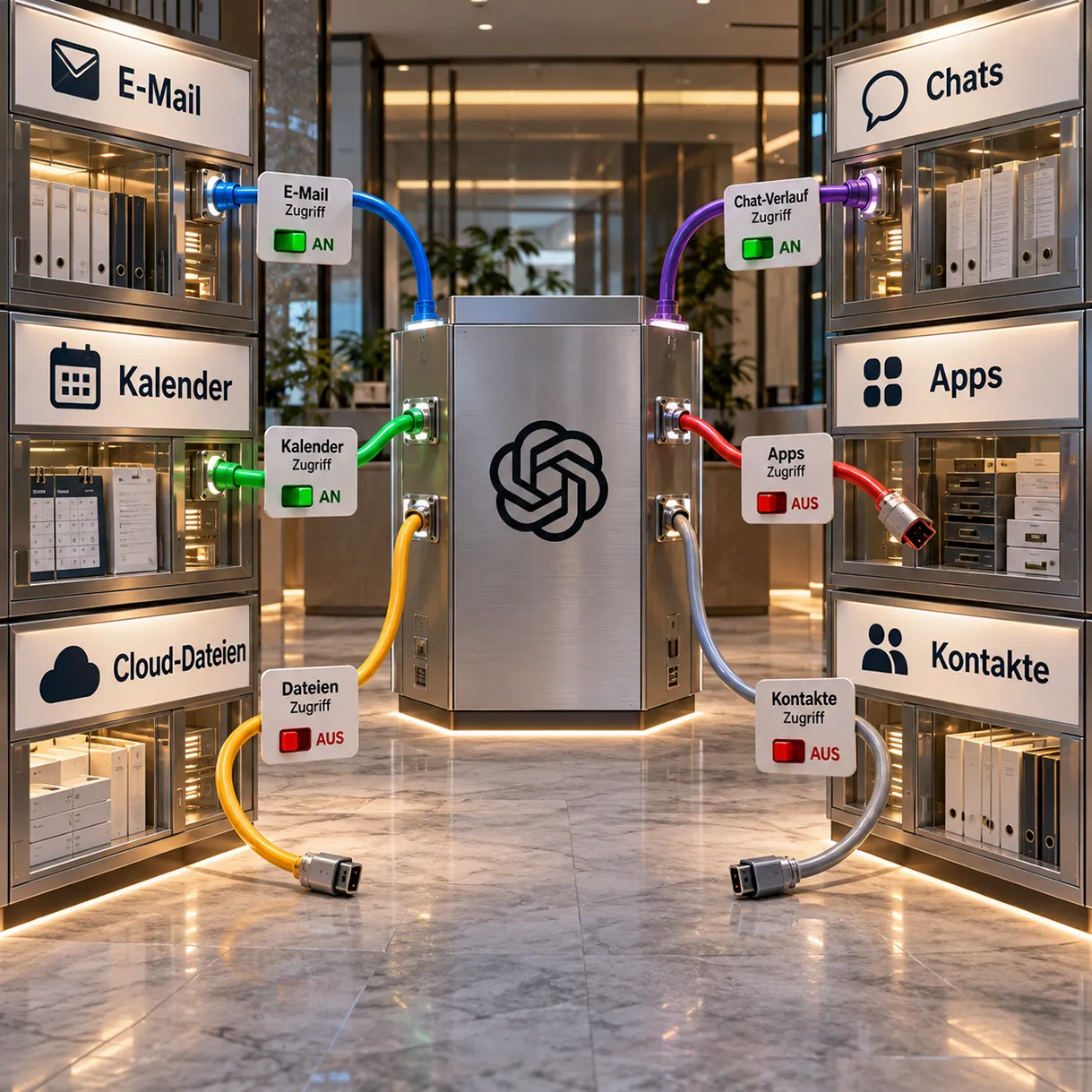
OpenAI has been rolling out the Privacy Center since September 21, 2026, for signed-in Free, Go, Plus, and Pro users. The new interface brings together information on chat privacy, Memory, personalization, data usage, apps, and account security. The actual controls remain in the ChatGPT settings. The options shown also depend on the plan, region, and workspace.
You will now learn what the ChatGPT Privacy Center can do. You will also receive a practical review routine for agencies and companies. Finally, we explain why a well-organized interface still does not replace GDPR compliance documentation.
What is the ChatGPT Privacy Center?
The ChatGPT Privacy Center is a central information and navigation interface for personal ChatGPT accounts. It brings together privacy topics that were previously spread across several settings areas and help pages.
OpenAI specifically mentions the following areas:
- Privacy in Chats
- Memory and personalization
- Use of content for model improvement
- Connected apps and their permissions
- Data Export and Deletion
- Account– and Security Features
In the browser, you can find the Privacy Center via your account menu under “Help”. On mobile devices, it is located in the settings. Since the rollout is gradual, the interface may appear later for some accounts.
The exact function is important: The ChatGPT Privacy Center does not replace the previous ChatGPT settings. It explains available options and guides you to the respective toggles. OpenAI explicitly confirms that the privacy controls are still located in the settings.
Thus, the Center is more of a dashboard than a new layer of legal protection. It improves transparency and usability. However, this does not automatically change existing rules regarding storage, processing, or contracts.
Why is the ChatGPT Privacy Center important for businesses?
The ChatGPT Privacy Center makes it easier to conduct regular audits. This allows companies to review personal ChatGPT accounts more quickly. This is particularly important when employees process customer information or integrate external data sources.
Why isn't a one-time test enough?
AI accounts are constantly changing. Employees start new chats, upload files, and connect apps. In addition, new features may appear, or existing options may vary depending on the region. A one-time approval does not reliably reflect these changes.
That’s why you should view checks as an ongoing process. It makes sense to conduct checks during onboarding, role changes, and offboarding. In addition, a regular quarterly check for active accounts is recommended.
What are some typical risks that arise in day-to-day agency work?
A copywriter uploads a client briefing to their personal account. A project manager connects Gmail or Google Drive. A strategist enables Memory and uses the same account for multiple clients. Each step can be practical. However, this raises questions about access, responsibilities, and data flows.
The following are particularly critical:
- private accounts without central management;
- shared login credentials;
- confidential content in regular chats;
- unnecessarily connected apps;
- Unclear training and memory settings;
- Missing rules for deletion and offboarding.
The Privacy Center makes such issues more visible. However, it does not assess whether your specific use is lawful or organizationally appropriate.
Which settings should you check now?
Don't start with individual switches. First, identify which accounts, data, and processes are affected. Then you can evaluate the technical settings appropriately.
Which ChatGPT settings should you check?
Diese Übersicht zeigt die wichtigsten Prüfbereiche für eine sichere und nachvollziehbare Nutzung im Unternehmen.
| Test area | Key question | Recommended action |
|---|---|---|
| Account type | Is the account managed for personal or business purposes? | Clearly separate personal and business use. |
| Model improvement | Can new content be used to improve the models? | Set the configuration after internal approval and specify the data class. |
| Memory | What information can ChatGPT take into account across different accounts? | Review saved content and remove unnecessary reminders. |
| Chat history | Does sensitive content remain in regular chats? | Define deletion rules and avoid including confidential content. |
| Apps | Which services are connected, and what rights apply? | Disconnect any connections that are not needed and minimize permissions. |
| Safety | Is the account adequately protected? | Use multi-factor authentication and unique credentials. |
| Jurisdiction | Who monitors settings and changes? | Document the person responsible and the inspection interval. |
1. Keep your personal and business accounts separate
Do not use a personal account as a permanent work environment for client projects. Otherwise, ownership, access, and accountability become blurred. Furthermore, when an employee leaves the company, the company may lose important content or controls.
For confidential client work, approved Business, Enterprise, or API environments are usually more suitable. However, the decisive factors are your requirements and the applicable contractual terms. Therefore, review the purpose, type of data, access, and deletion concept before approval.
2. Check the model improvement separately from Memory
Under “Data controls,” you can specify whether new conversations may be used to improve OpenAI models. If “Improve the model for everyone” is disabled, new conversations will not be used for training, according to OpenAI. They may still appear in your chat history.
Memory is a different feature. It determines whether ChatGPT takes information into account for personalized responses. OpenAI explicitly separates Memory from the settings for model improvement. Therefore, disabled Memory does not automatically mean that the training option is also turned off.
This distinction should be included in every internal checklist. Otherwise, a false sense of security can quickly set in.
3. Review saved memories and chat histories
ChatGPT Memory can use information from previous chats, saved memories, files, and connected apps, depending on the account. Availability and scope depend on the plan, region, and workspace settings.
You can review, correct, delete, or disable Memory. However, turning off Memory does not automatically delete existing chats. Likewise, deleting a chat does not necessarily remove a separately saved memory. For a thorough cleanup, you therefore need to review both levels.
Every time a memory comes to mind, ask yourself:
- Does it contain customer, employee, or project data?
- Is it really necessary for future tasks?
- Can it be taken into account across accounts?
- Is the same information also available in Chats, Files, or Apps?
4. Remove unnecessary linked apps
Connected apps can give ChatGPT access to external information. This may include emails, files, or content from work tools. The available permissions depend on the app, the authorization, and any workspace rules.
A changed confirmation setting does not automatically revoke the app’s access. OpenAI points out that you need to disconnect an app to remove its access. In addition, existing chats may contain content from a previously connected app.
Therefore, for each connection, check the following:
- Who connected the app?
- Which account was authorized?
- What information is ChatGPT allowed to read or modify?
- Is the connection still needed?
- What happens during role changes or offboarding?
5. Use temporary chats wisely
According to OpenAI, temporary chats do not appear in the chat history, do not create new reminders, and are not used for model improvement. They can be helpful for specific tasks. However, they do not replace sharing sensitive information.
A temporary chat does not resolve issues regarding the legal basis or data processing on behalf of a client. Nor does it prevent unauthorized data entry. Therefore, continue to use data minimization, pseudonymization, and clear access rules.
6. Secure your accounts technically
Enable multi-factor authentication wherever it is available. Avoid reusing passwords and document account ownership. Promptly remove former employees from managed environments.
Also check active sessions and recovery options. A properly configured Privacy Center is of little help if unauthorized individuals can access the account.
How do you administer the exam in practice?
Effective control requires three levels: inventory, decision, and documentation. The following routine can be implemented in many agencies as part of a scheduled review session.
Step 1: Create an inventory of accounts and data
List all ChatGPT accounts in use. Record the plan, owner, department, purpose, and associated apps. Include the data categories being processed as well as the approval status.
Step 2: Categorize data by protection level
Distinguish between public, internal, confidential, and particularly sensitive content. Then define which categories may be processed in which environment. Customer data should not be stored in personal accounts solely for the sake of convenience.
Step 3: Check the settings directly in your account
Open the ChatGPT Privacy Center and follow the links to the settings. Review model improvement, Memory, personalization, apps, export, deletion, and security. Document deviations with the date and responsible person.
Step 4: Clean up data sources and accesses
Delete outdated apps. Remove unnecessary reminders, chats, and files according to your deletion plan. Then check whether stored information is still available through other sources.
Step 5: Update your internal AI policy
A good AI policy should answer at least the following questions:
- Which accounts and plans are available?
- What data can be entered?
- When are Business or API environments mandatory?
- Who is allowed to connect apps?
- How often are settings checked?
- Who documents changes and deletions?
- How does offboarding work?
Step 6: Train staff using real-life examples
Abstract prohibitions are rarely memorable. Instead, show typical cases from marketing, sales, and customer service. Explain why a prompt with anonymized metrics should be assessed differently from a complete customer data set.
If you want to structure your AI use strategically, our AI agency supports you with your roadmap, processes, and content. You can find more background information in the article AI in everyday work.
Does the Privacy Center guarantee GDPR compliance?
No. The ChatGPT Privacy Center is not a GDPR certificate and not legal proof. A central interface can make technical settings transparent. However, it does not assess your specific processing purpose.
For a robust data protection assessment, you need to review additional points. These include roles and contracts, the legal basis, data minimization, data subject rights, deletion periods, and possible third-country transfers. Depending on the use case, a data protection impact assessment or additional security measures may also be required.
The European privacy policy of OpenAI describes various controls and data subject rights. However, it does not replace your own assessment as a company.
If necessary, have legally relevant decisions reviewed by your data protection officer or specialized legal counsel. For a more in-depth marketing perspective, see our article on data protection and GDPR compliance.
What opportunities and risks does the ChatGPT Privacy Center present?
The greatest opportunity lies in improved navigation. Employees can find key data protection topics more quickly. Those responsible can also establish a standardized audit process. This transforms a collection of hard-to-find settings into an intuitive starting point.
At the same time, there is a risk: A clean, uncluttered interface can create a false sense of complete control. Not every visible toggle addresses all the associated privacy concerns. Furthermore, available options vary by account, region, and workspace.
What opportunities and limitations does the Privacy Center offer?
A clearer overview makes monitoring easier. However, the interface does not replace a legal and organizational review.
| Opportunity | Limits or Risks |
|---|---|
| Central orientation | No automatic legal review |
| Faster account verification | Not all options are available everywhere |
| Greater transparency regarding apps and memory | Existing data sources must be cleaned separately |
| Simpler employee training | There is no alternative to guidelines and accountability |
| A better foundation for audits | No substitute for contracts and documented processes |
How will data protection change in the future with AI?
AI assistants are evolving from individual chat windows into connected workspaces. They access files, emails, apps, and long-term context. As a result, data protection is increasingly becoming a question of architecture.
In the future, companies will need to assess more than just individual prompts. They will need to understand complete data flows. These include sources, memories, permissions, outputs, and downstream automations.
The ChatGPT Privacy Center aligns with this trend. It provides a central entry point for consumer and individual accounts. For businesses, however, governance remains crucial. Account type, data classification, and access control must all be aligned.
The principle of least privilege is especially important. Connect only the apps you actually need. Share only necessary information. Limit access over time and review it regularly. This allows your AI use to grow in a controlled rather than accidental way.
Conclusion: Greater clarity is the starting point, not the goal
The ChatGPT Privacy Center brings together key information on chat privacy, Memory, personalization, data usage, apps, and account security. This allows companies to review personal accounts in a more structured way.
However, the rollout does not automatically create GDPR compliance. Retention periods, legal bases, and contractual terms also do not change simply because of a new interface. What matters is how you actually use ChatGPT.
Therefore, review account types, training options, Memory, chat histories, and connected apps. Separate personal and business use. Document responsibilities and anchor control in your AI policy.
Do you want to integrate AI safely and effectively into your marketing? Media Beats combines strategy, processes, content, and technical implementation. Contact us with no obligation. Together, we develop an AI approach that fits your goals and requirements.
Frequently Asked Questions about the ChatGPT Privacy Center
What is the ChatGPT Privacy Center?
The ChatGPT Privacy Center brings together information and links related to privacy, memory, personalization, data usage, apps, and account security. The actual controls remain in the ChatGPT settings.
For which accounts is the Privacy Center available?
OpenAI is rolling it out gradually for signed-in Free, Go, Plus, and Pro users. Visible options may vary depending on the plan, region, and workspace.
If “Memory” is turned off, does that also disable model training?
No. Memory and Model Improvement are separate settings. You should review both sections individually and configure them in accordance with your internal policy.
Does deleting an app erase previous chat history?
No. Disconnecting prevents future access to the app. You may need to review and delete existing chats containing content previously imported from the app separately.
Does the ChatGPT Privacy Center automatically make ChatGPT GDPR-compliant?
No. It is an administrative and informational interface. Companies must continue to independently assess legal basis, contracts, data minimization, deletion, security, and specific processes.
Sources
- OpenAI: ChatGPT Release Notes
- OpenAI: ChatGPT Privacy Settings
- OpenAI: Data Controls in ChatGPT
- OpenAI: Memory in ChatGPT
- OpenAI: Connected Apps in ChatGPT
- OpenAI: Europe Privacy Policy
Frequently Asked Questions about the ChatGPT Privacy Center
The ChatGPT Privacy Center brings together information and links related to privacy, memory, personalization, data usage, apps, and account security. The actual controls remain in the ChatGPT settings.
OpenAI is rolling it out gradually to registered Free, Go, Plus, and Pro users. The options displayed may vary depending on your plan, region, and workspace.
No. Memory and model optimization are separate settings. Companies should review both areas individually.
No. Unlinking the app prevents future access to it. Any existing chats that contain imported app content may need to be reviewed and deleted separately.
No. It is an administrative and informational interface. Companies must continue to independently assess legal basis, contracts, data minimization, deletion, security, and specific processes.
Our blog
Latest news
With our blog, you are always close to our work, our current projects and the latest trends and developments in web and print.






Any questions?